Yes, but usually only in two preventable ways: a clamp-mount converter’s screw pressing straight into the desk edge, or a freestanding converter’s base being dragged across the surface instead of lifted. A felt or rubber pad at the clamp, lift-don’t-slide handling, and checking your rubber feet prevent nearly all of it.
By standingdeskconverters.com Editorial Team · Last updated: November 13, 2026
Key takeaways
- Clamp-mount converters risk denting or scratching the desk where the clamp screw contacts it — a felt or rubber pad between the screw and the desk prevents most of this.
- Freestanding converters have a different risk profile: worn rubber feet and dragging the base instead of lifting it.
- No independent lab or standards body has published desk-damage test data for converters. The guidance below comes from manufacturer care instructions and a government conservation guide for wood furniture, not from converter-specific testing.
- Tighten a clamp until it’s snug and stable, not as tight as physically possible, and recheck it monthly — daily height changes can work it loose over time.
- Glass desktops need extra caution: only clamp where the manufacturer specifically allows it.

Can a standing desk converter actually damage a desk?
Yes, but the real-world risk depends entirely on which type of converter you have. Clamp-mount converters attach to the desk edge with a screw-tightened clamp, which concentrates force on a small contact area. Freestanding (desktop) converters just rest on the surface on their own base and rubber feet, so their risk comes from a different source: wear and careless handling, not clamping pressure. If you’re still getting your converter set up for the first time, our full setup guide covers the height and positioning steps before you worry about long-term desk care.
No independent lab or furniture-testing body has published data specifically on standing desk converters and desk damage. The guidance in this article comes from a U.S. National Park Service conservation guide for wood furniture care and from manufacturer desktop-care instructions — practical, widely consistent advice, but not a safety standard or lab test.
How does a clamp-mount converter damage a desk?
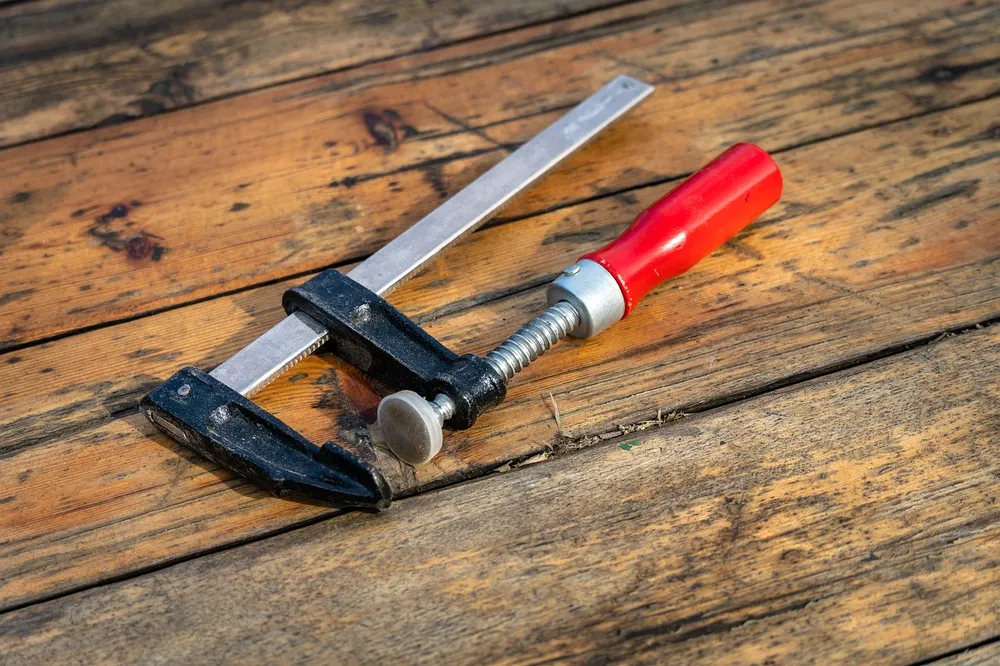
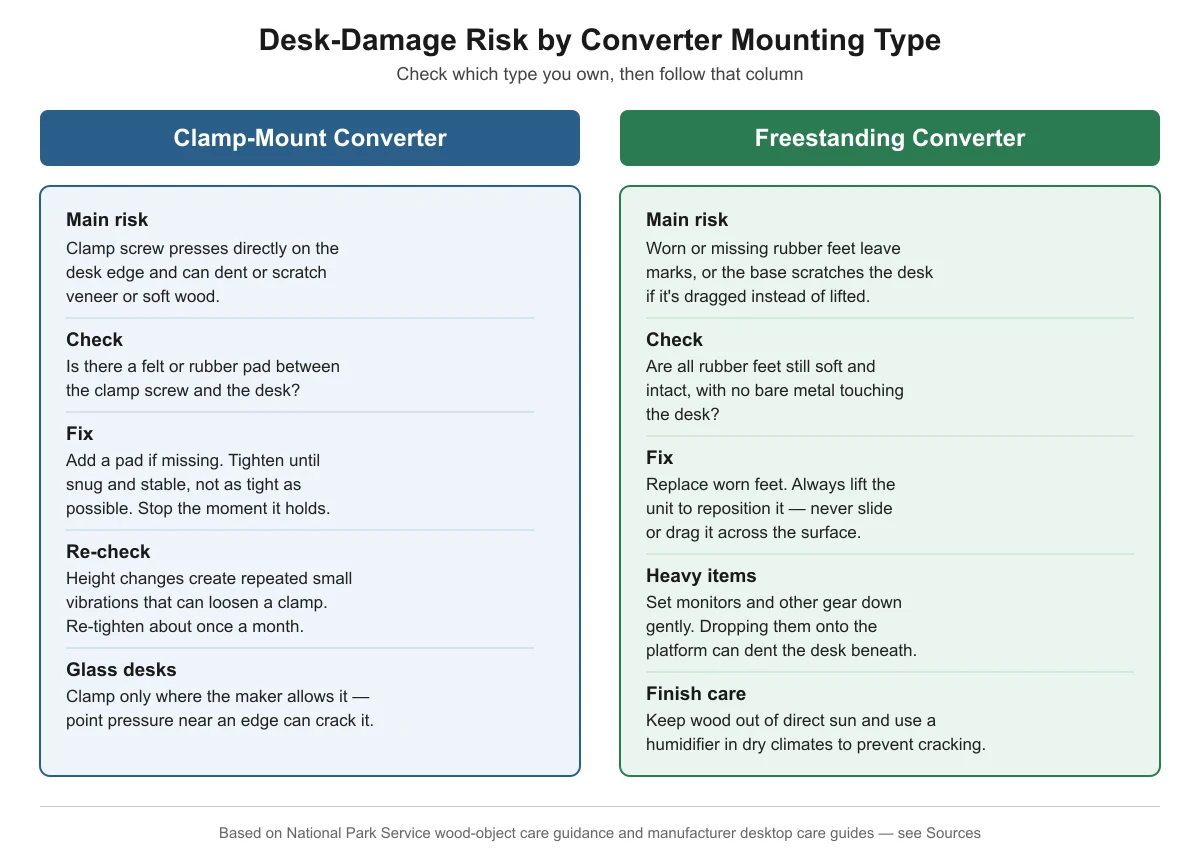
The clamp screw itself is the main risk. According to the National Park Service’s curatorial guidance on wood objects, direct contact from clamps or fasteners on a wood surface should be avoided; instead, a protective barrier such as a felt pad or block should distribute the pressure and prevent indentation marks. On a desk, that means the same principle applies: a bare metal screw tightened straight against wood veneer or particleboard can leave a dent or scratch, especially on desk edges with a thin veneer layer.
Converter and desk manufacturers independently recommend the same fix. VersaDesk, for example, lines the base of some converter models with protective material specifically to avoid scratching the desk underneath, and recommends mounting monitors with a clamp or grommet option rather than resting extra weight directly on the desktop. The practical takeaway: always use whatever pad the clamp ships with (or add a thin felt or rubber pad yourself) between the clamp screw and the desk, and tighten only until the connection is snug and stable — not as tight as you can physically make it.
How does a freestanding (desktop) converter damage a desk?
Freestanding converters don’t clamp onto anything, so their risk is different: the rubber feet on the base. UPLIFT Desk’s own desktop care guidance recommends lifting items when repositioning them rather than dragging them across the surface, and gently placing heavy objects onto the desktop rather than dropping them. Applied to a freestanding converter, that means always lifting the unit to move it rather than sliding it, and periodically checking that its rubber feet are still soft and intact rather than worn down to bare plastic or metal, which can scratch or leave marks over time.
Clamp-mount vs. freestanding: a side-by-side risk check
| Converter type | Main desk-damage risk | How to check | Fix |
|---|---|---|---|
| Clamp-mount | Dent or scratch from the clamp screw pressing on the desk edge | Look for a pad between the screw and the desk; check for marks after installing | Add a felt/rubber pad if missing; tighten snug, not maximum; recheck monthly |
| Clamp-mount (glass desks) | Cracked or chipped glass from point pressure near an edge | Confirm the desk maker allows edge clamping at all | Only clamp where specifically permitted; use the widest pad available |
| Freestanding | Scratches or marks from dragging the base | Lift one side slightly and check for resistance or scraping sound when moving it | Always lift to reposition; never slide |
| Freestanding | Worn rubber feet leaving marks or exposing bare plastic/metal | Inspect all feet for hardness, cracking, or flattening | Replace worn feet; add a thin felt pad under each foot if feet are aging |
| Either type | Dents from monitors or gear dropped onto the platform | Check platform surface for small impact marks | Set equipment down gently, don’t drop it |
Does the desk’s finish change the risk?
Yes. A veneer surface — a thin layer of real wood glued over particleboard or MDF — is the most vulnerable to clamp dents because there’s very little material to absorb pressure before it marks. Solid wood tolerates more pressure before denting but can still scratch. Glass desktops are the least forgiving: concentrated point pressure near an edge can crack the panel outright, which is why some manufacturers restrict or prohibit clamping directly on glass. If you’re not sure what your desk surface can tolerate, check the desk manufacturer’s own care instructions before clamping anything to it, and when in doubt, choose a freestanding converter instead.
For any wood desk, general furniture-care guidance also applies here: keep it out of direct sunlight, since wood is photosensitive and can discolor unevenly over time, and in dry climates, a humidifier helps prevent the wood from contracting and cracking.
What if I already see a mark on my desk?
Stop and assess before doing anything else. A light surface scratch on a finished wood desk is usually cosmetic and can often be minimized with a matching touch-up product from the desk or furniture manufacturer. A dent from clamp pressure is harder to reverse and may require professional furniture repair, especially on veneer. If you see any damage, add a pad (if you haven’t already) and loosen the clamp slightly before continuing to use the converter, so the existing mark doesn’t get worse. And if the real issue turns out to be that your converter doesn’t lift high enough and you’re pressing or leaning on it to compensate, that’s a separate problem — see our guide on a converter that feels too low.
Frequently asked questions
Do all standing desk converters require a desk-edge clamp?
No. Only clamp-mount and some monitor-arm-style converters attach to the desk edge. Freestanding (desktop) converters simply sit on top of the desk on their own base, with no clamp involved, which avoids clamp-related damage risk entirely but introduces the base-dragging and rubber-foot risks covered above.
Will a felt pad really stop a clamp from denting my desk?
A pad that distributes pressure evenly across a wider area, rather than leaving the full force on a single point, is the standard recommendation from both furniture-conservation and manufacturer sources. It significantly reduces the risk, though it can’t fully prevent damage if the clamp is over-tightened well past what’s needed to hold securely.
Is it safe to clamp a standing desk converter to a glass desk?
Only if the desk manufacturer specifically says the edge is rated for it. Glass is far less tolerant of concentrated point pressure than wood, and clamping in the wrong spot can crack or chip it. If your glass desk’s documentation doesn’t address this, a freestanding converter avoids the risk.
Does a heavier monitor increase the risk of desk damage?
Indirectly. A heavier display adds more load to whatever is supporting it — the converter’s platform and, for clamp-mount converters, the clamp connection itself. A monitor arm’s own clamp is a separate structural budget from the converter’s rated weight capacity; see our monitor arm compatibility guide for how to check both. Check that your total equipment weight stays within the converter’s rated capacity, and set monitors down gently rather than dropping them onto the platform.
Do rubber feet wear out, and does that matter?
Yes, rubber feet compress and can harden or crack over months of use, especially under a unit that’s raised and lowered daily. Once a foot is worn down to bare plastic or metal, it loses its protective cushioning and can scratch or mark the desk underneath, so it’s worth checking periodically.