Direct answer: Yes, a monitor arm is usually compatible with a standing desk converter, but you need to check two separate structural specs, not one: the converter’s own platform weight capacity, and the monitor arm’s clamp or desk-edge rating. Many converters also need a “short pole” arm (around 17 inches) instead of a standard-length pole, because the converter itself already adds 4-6 inches of height.
Key takeaways
- A converter’s platform weight capacity and a monitor arm’s clamp/desk-edge rating are two different numbers. Most buying guides check only one, which is the real compatibility gap this article fills.
- X-lift and Z-lift converters already add roughly 4-6 inches of height. Stacking a standard-length arm pole (28.3-39.4 in) on top can push the monitor too high — a short-pole arm (around 17.3 in) is often the better fit.
- Clamp mounts need a specific desk-edge thickness (about 0.6-3 in) and clearance underneath (about 3-4 in). Grommet mounts spread the load differently and are often recommended for heavier or multi-monitor arms.
- Check your specific converter’s published platform capacity against everything you plan to put on it: the arm, the monitor(s), and anything else sharing that platform.
- The monitor arm’s own weight rating, set by the arm’s manufacturer, is a third, separate number from both of the above — check it against your actual monitor’s weight too.
What’s the Real Compatibility Question Here?
Most “best monitor arm for a standing desk converter” pages are product roundups: a list of arms to buy, with little explanation of why one fits and another doesn’t. The actual compatibility question has three separate parts, and a converter can pass one and fail another:
- Does the converter’s platform have enough rated capacity for everything you’re putting on it?
- Can the arm’s clamp or grommet mount physically grip the converter’s specific desk edge?
- Does the arm’s pole length leave your monitor at the right height once stacked on top of the converter’s own lift?
Pole length is the detail most guides skip entirely. The other two get mentioned but usually treated as one number instead of two.
Why Do Converters Need a “Short Pole” Monitor Arm?
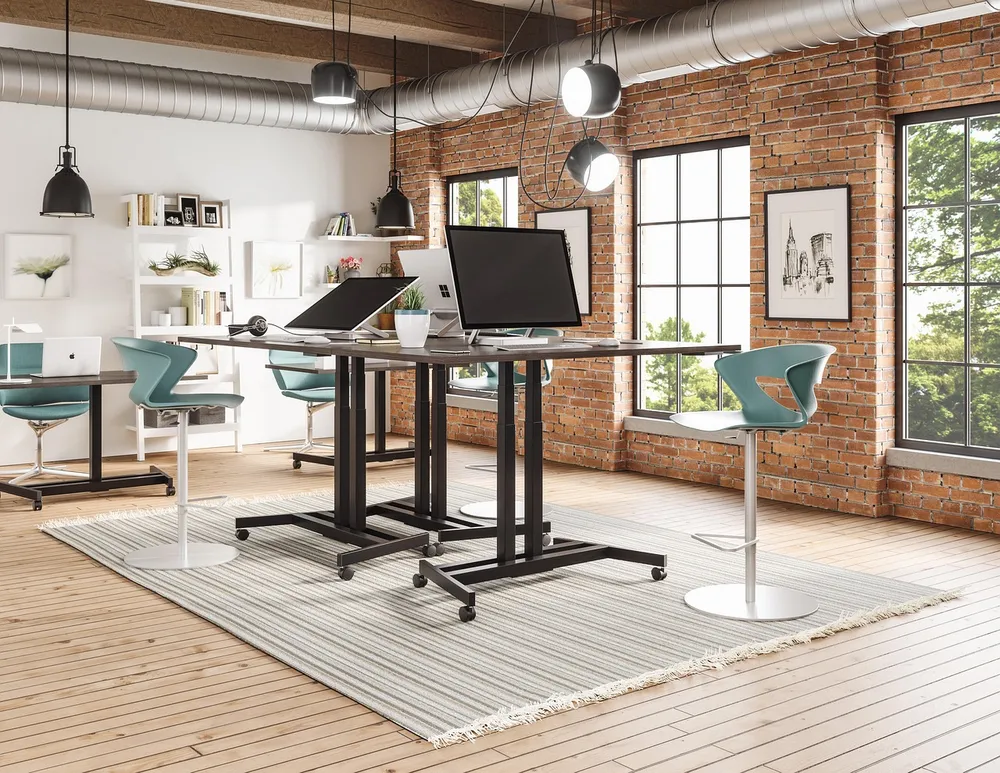
“Short pole” monitor arms exist specifically because X-lift and Z-lift converters already raise the work surface roughly 4-6 inches above the desk before you add anything on top. A standard or long monitor-arm pole, built for mounting straight to a desktop, runs about 28.3 to 39.4 inches. Stack that on a converter that’s already added several inches of lift, and the monitor can end up too high for a comfortable eye-level position, even if the arm’s base clamp fits perfectly.
Short-pole arms run around 17.3 inches (44 cm), which is built to compensate for that added converter height. If your eyes are tilting upward to see the bottom of the screen, or the monitor’s center sits well above the 15-20° below-eye-level range OSHA recommends, an oversized pole is a likely cause — not the converter’s lift setting.
Clamp or Grommet: Which Mount Fits Your Converter?
| Mount type | What it needs | Best for |
|---|---|---|
| Clamp mount | Desk-edge thickness ~0.6-3 in, clear space underneath ~3-4 in | Lighter, single-monitor setups; faster to attach and remove |
| Grommet mount | A drilled hole through the platform (not always possible on a converter) | Heavier arms, multi-monitor setups, or extended-reach arms |
Most converter platforms are not designed to be drilled, which rules out grommet mounting on many models and makes clamp mounting the default choice. Before buying, measure your specific converter’s platform edge thickness and the clear space underneath it, and compare both numbers to the arm’s listed clamp requirements — a converter can have plenty of weight capacity left and still not physically fit a given clamp.
What Are the Two Separate Weight Budgets You Need to Check?
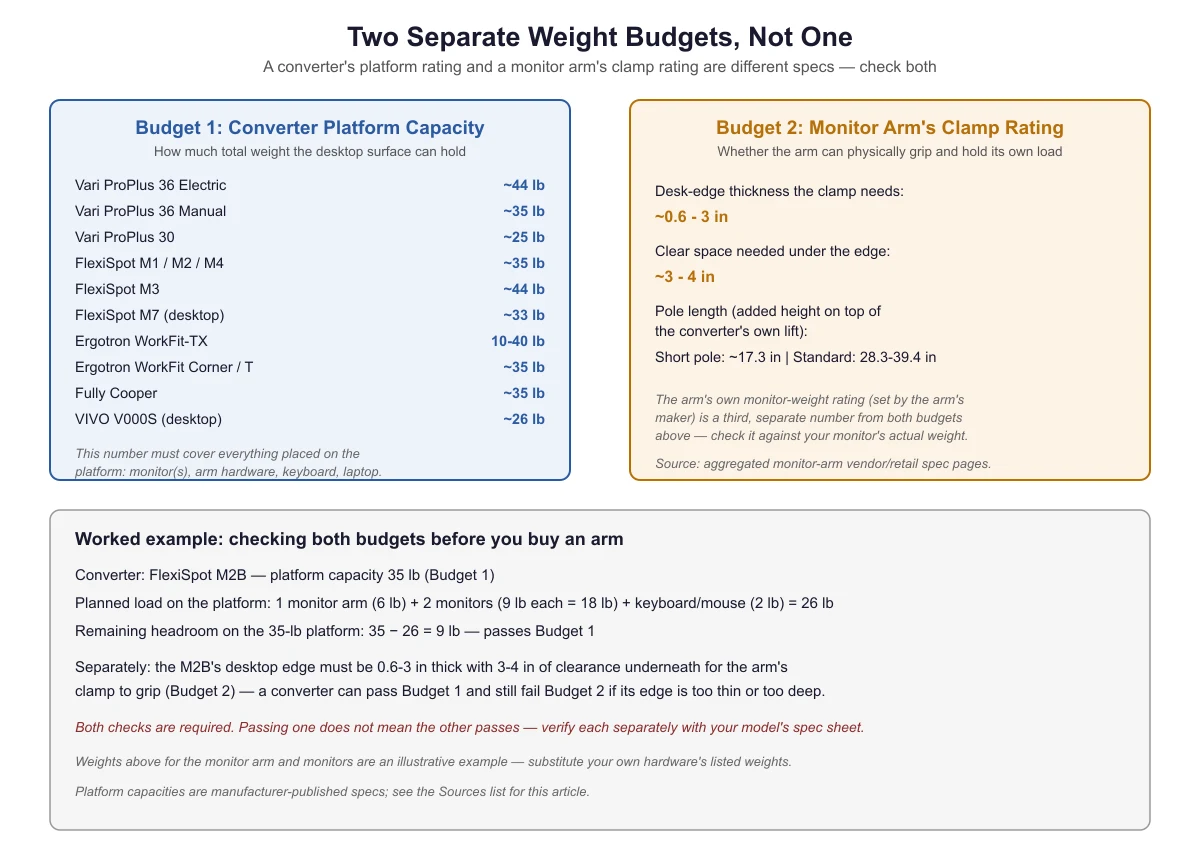
This is the gap most buying guides leave open: a converter’s platform weight rating and a monitor arm’s own clamp or desk-edge rating are two separate structural questions, not one. Passing one does not mean the other automatically passes.
| Converter model | Platform weight capacity |
|---|---|
| Vari ProPlus 36 Electric | Up to 44 lb (manufacturer spec) |
| Vari ProPlus 36 Manual | Up to 35 lb |
| Vari ProPlus 30 | Up to 25 lb |
| FlexiSpot M1 / M2 / M4 | Up to 35 lb |
| FlexiSpot M3 | Up to 44 lb |
| FlexiSpot M7 (desktop) | Up to 33 lb |
| Ergotron WorkFit-TX | 10-40 lb (includes built-in arm mounts) |
| Ergotron WorkFit Corner / T | Up to 35 lb |
| Fully Cooper | Up to 35 lb (30 lb desktop + 5 lb keyboard tray) |
| VIVO V000S (desktop) | Up to 26 lb |
These figures are each manufacturer-published specs, confirmed directly against Vari’s own product listing and aggregated from manufacturer and major retailer listings for the others current as of this article’s publication. Always re-check the specific model and finish you’re buying, since manufacturers do revise specs between versions.
Worked example: checking both budgets before you buy an arm
Say you own a FlexiSpot M2B, with a published desktop capacity of 35 lb. You want to add one monitor arm (about 6 lb), two monitors (about 9 lb each, 18 lb total), and a keyboard and mouse (about 2 lb). That’s 26 lb planned on the platform, leaving 9 lb of headroom under the 35-lb rating — this passes the platform budget.
Separately, the M2B’s desktop edge needs to be 0.6-3 inches thick with 3-4 inches of clearance underneath for the arm’s clamp to grip. A converter can pass the weight budget above and still fail this second check if its edge is too thin, too thick, or too deep for the specific arm’s clamp. Both checks are required — verify each one against your own converter’s and arm’s spec sheets, since the weights in this example are illustrative; substitute your own hardware’s listed weights.
How Do You Check Your Specific Converter and Arm Before Buying?

- Find your converter’s published platform weight capacity (not the product’s overall shipping weight).
- Add up everything that will sit on that platform: monitor arm, monitor(s), keyboard, laptop, anything else.
- Separately, measure your converter’s desk-edge thickness and the clear space underneath it, then compare both to the arm’s clamp spec.
- Check whether your converter is an X-lift/Z-lift type that already adds height, and if so, look for a short-pole arm instead of a standard one.
- If the monitor still sits too high or too low once mounted, the fix may be the pole length rather than the converter’s lift setting — see how to set up a standing desk converter correctly for the elbow-height and eye-level targets to check against.
If you’ve done all of this and the converter still feels too short even with the right monitor arm, the lift range itself may be the limiting factor — see why a standing desk converter feels too low, and how to fix it. And if the keyboard tray ends up at the wrong height once the monitor arm changes your typing position, see how to fix a keyboard tray that sits too low or too high.
Frequently Asked Questions
Can I use any monitor arm on any standing desk converter?
Not automatically. You need to check the converter’s platform weight capacity against your planned load, the arm’s clamp fit against your converter’s specific edge thickness, and whether a standard or short-pole arm is the right length once stacked on the converter’s own lift.
How do I know if I need a short-pole arm?
If your converter is an X-lift or Z-lift style that already raises the work surface 4-6 inches before you add anything, a standard-length pole (28.3-39.4 in) often pushes the monitor too high. A short-pole arm (around 17.3 in) is built to offset that.
What happens if I exceed the converter’s platform weight capacity?
The manufacturer’s rated capacity is the structural limit the platform and its lift mechanism are built for. Exceeding it risks instability, mechanism strain, or the platform not holding its set height — check the published number for your specific model before adding a monitor arm.
Does a built-in monitor arm mount, like on the Ergotron WorkFit-TX, change this math?
Yes — on models with a built-in arm mount, the manufacturer’s published weight capacity already accounts for the arm and monitor(s) as part of one combined rating, rather than two separate budgets you calculate yourself.
Sources
- Vari — VariDesk Pro Plus 36 Electric product page (manufacturer-published 44 lb weight capacity)
- OSHA eTools — Computer Workstations: Monitors (eye-level and viewing-angle targets used to judge pole length)
standingdeskconverters.com Editorial Team. Last updated: November 13, 2026.