Direct answer: Most people using a standing desk converter benefit from an anti-fatigue mat, because the converter creates a smaller, fixed standing footprint than a full desk. Widely repeated commercial guidance suggests a mat around 20×32 inches for a single stance, bigger if you shift weight or pace, with roughly 3/4 inch of high-density foam. OSHA and NIOSH both recommend anti-fatigue mats generally for prolonged standing, though neither publishes a converter-specific size.
Key takeaways
- A converter’s platform barely moves, so your feet tend to stay in one small area — that changes the mat-sizing math compared to a full standing desk where you might reposition more.
- No OSHA or NIOSH page gives a specific mat size or thickness number for desk use. The figures below are general, widely repeated commercial guidance, not an official standard.
- Both OSHA and NIOSH do recommend anti-fatigue mats generally for people who stand for long periods at work, as one part of a broader comfort strategy.
- Measure your own standing position under your specific converter first, then size the mat to that — not to a generic desk-mat chart.
- A mat does not fix an incorrectly set converter height. Check the lift calculation in how to set up a standing desk converter correctly first.
Does a Standing Desk Converter Change Whether You Need a Mat?
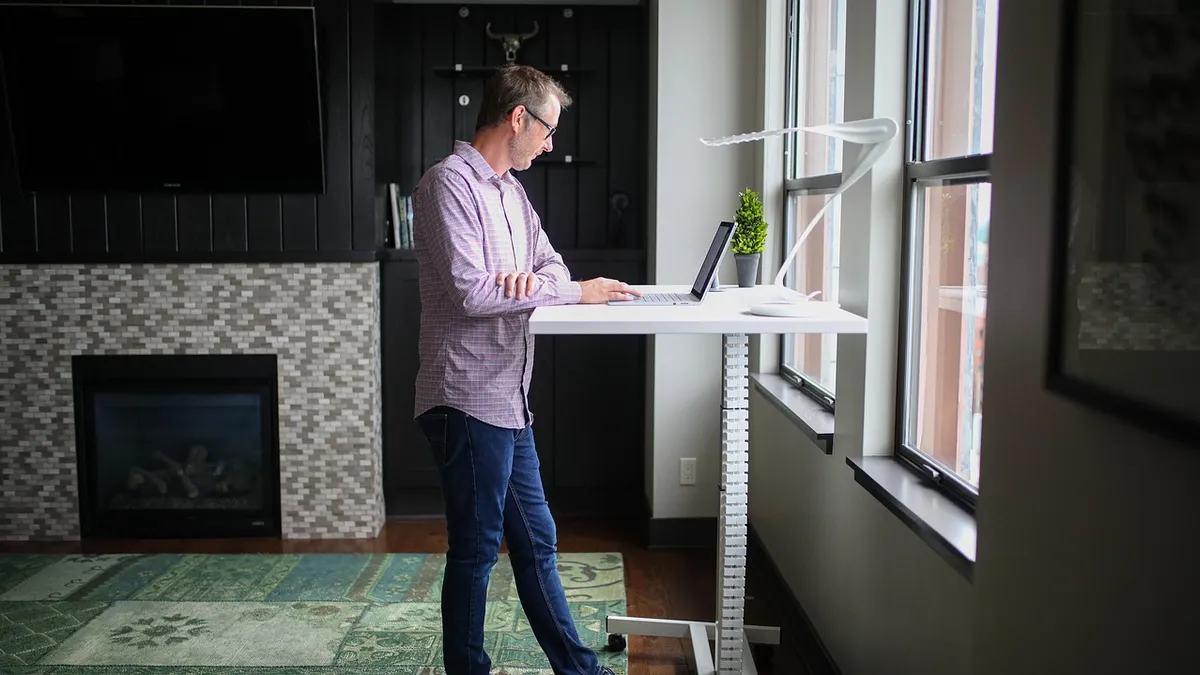
Yes, in a practical way most general mat-buying guides don’t address. A full height-adjustable desk gives you the entire desktop to move around during standing, so people often shift their footing, lean on different parts of the desk, or step side to side. A converter sits on top of your existing desk and keeps its platform a fixed size and shape, which usually means your feet stay in roughly the same small area for the whole standing session.
That matters for fatigue. OSHA’s ergonomics guidelines for employees who stand for long periods recommend anti-fatigue mats as a comfort measure, noting that standing on an anti-fatigue mat, compared to a bare floor, provides a noticeable improvement in comfort. The U.S. CDC/NIOSH has also recommended anti-fatigue mats for workers who stand for extended periods as part of a broader set of accommodations. Neither source is written about desk converters specifically, but the underlying reasoning — a fixed standing position on a hard floor increases leg and back fatigue — applies directly to converter use.

How Big Should the Mat Be for a Converter’s Smaller Footprint?
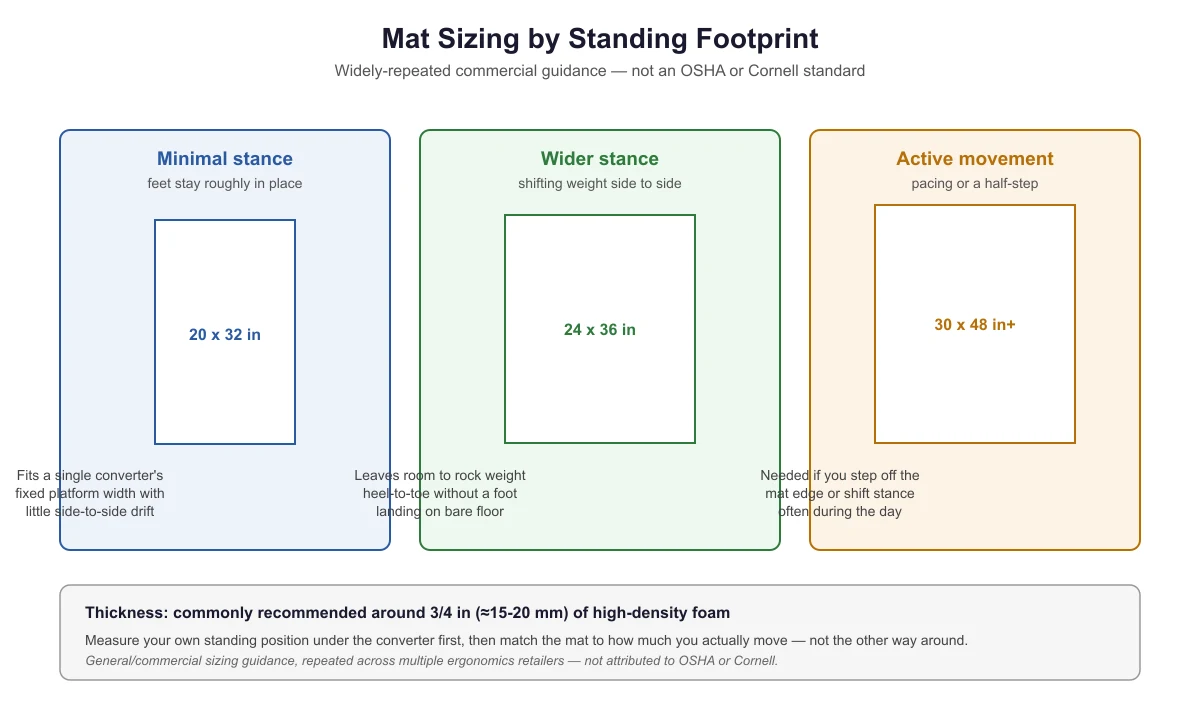
There is no OSHA or NIOSH page that specifies a mat size or thickness in inches for office or desk use. The sizing figures below come from general, widely repeated commercial ergonomics guidance rather than a government or standards-body source — treat them as a reasonable starting range, not a rule.
| Standing style | Commonly suggested mat size | Why this size |
|---|---|---|
| Minimal stance (feet stay roughly in place) | About 20 x 32 in | Fits a single converter’s fixed platform width with little side-to-side drift |
| Wider stance (shifting weight side to side) | About 24 x 36 in | Leaves room to rock weight heel-to-toe without a foot landing on bare floor |
| Active movement (pacing or a half-step) | About 30 x 48 in or larger | Needed if you step off the mat edge or shift stance often during the day |
To pick the right row, stand at your converter’s normal working height and notice how far your feet actually move over a few minutes of typing. Most converter users land in the first or second row, because the platform itself limits how far you can comfortably reach the keyboard or screen if you step away from it.
How Thick Should the Mat Be?
Commercial ergonomics guidance commonly suggests around 3/4 inch (roughly 15-20 mm) of high-density foam for an anti-fatigue mat. Thinner mats compress fully under body weight and stop providing cushioning; much thicker or softer mats can feel unstable, which matters more at a converter than on an open floor because you are often also reaching for a keyboard or mouse at the same time.
Do You Actually Need One? A Simple Checklist
- Get a mat if: you stand at the converter for more than about 20-30 minutes at a stretch, your floor is hard (tile, concrete, hardwood over concrete), or you’ve noticed foot, calf, or lower-back discomfort after standing sessions.
- You may not need one if: your standing sessions are short and frequent rather than long and continuous, your floor already has carpet with underlay or another cushioned surface, or you wear supportive, cushioned shoes during the day.
- A mat will not help if: the real problem is that the converter itself is set too low or too high. Fix the height first — see why a standing desk converter feels too low, and how to fix it — then decide if fatigue is still an issue once posture is correct.
What Else Affects Comfort Besides the Mat?
A mat addresses the floor-contact part of standing fatigue, but it is one piece of a larger picture. Footwear matters: standing for long periods in unsupportive shoes undercuts what a mat can do. Posture matters: leaning unevenly or locking your knees increases fatigue regardless of what’s under your feet — see common standing desk converter posture mistakes for habits specific to clamp-style converters. And pacing matters: breaking up standing time, rather than treating a mat as a reason to stand longer without a break, is still the bigger factor according to the sit-stand guidance in the sit-stand ratio guide for converter users.

Frequently Asked Questions
Will any thick rug or carpet work instead of an anti-fatigue mat?
A rug with real cushioning underlay helps more than a bare hard floor, but most area rugs are thinner and less resilient than a purpose-made anti-fatigue mat and will compress flat under sustained standing weight faster. If you’re already getting good comfort from existing flooring, there’s no need to add a mat on top of it.
Can the mat be too thick for a converter setup?
Yes. A very thick or soft mat can make you feel slightly unstable while reaching for a keyboard tray or adjusting the converter’s lift lever, which matters more at a converter than in open floor space. The commonly suggested roughly 3/4-inch range balances cushioning against stability.
Does the mat need to be under the whole converter or just where I stand?
Just where you stand. The converter itself sits on the desk, not the floor, so the mat only needs to cover your actual standing footprint in front of the desk, sized using the table above.
Should I get a mat before or after setting up my converter?
After. Mat size depends on where your feet naturally land once the converter is at the correct height and your keyboard tray is positioned — see how to set up a standing desk converter correctly to get that right first.
Sources
- OSHA — Guidelines for Retail Grocery Stores: Ergonomics for the Prevention of Musculoskeletal Disorders (OSHA 3192-05N, 2004) (anti-fatigue mats recommended for prolonged standing)
- CDC/NIOSH — Reducing Fatigue and Stress in the Retail Industry: Workplace Solutions (2019) (anti-fatigue mats recommended for employees who stand for long periods)
standingdeskconverters.com Editorial Team. Last updated: November 13, 2026.